
The product
The live app a club can run on.
EverySession is built around the work that repeats all year: sessions, bookings, attendance, member management, club roles and updates, with a mobile experience for the people taking part.
The schedule
Sessions that repeat, without rebuilding the schedule each week.
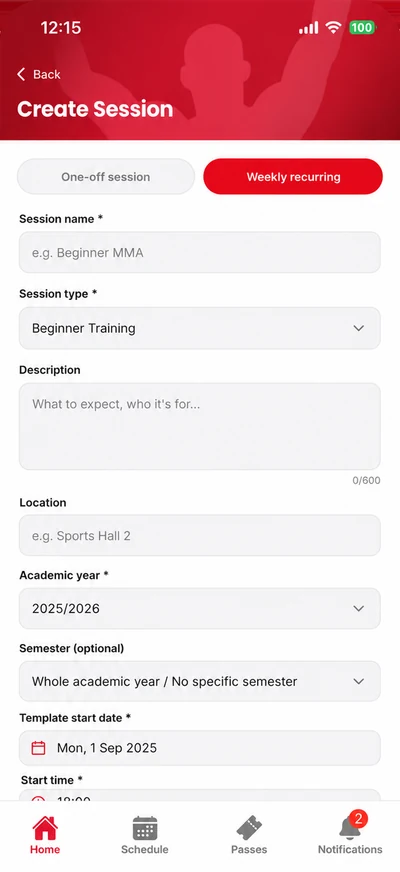
Put the practical details of one-off and recurring activity in the same place as bookings and attendance.
- One-off sessions or weekly recurring training
- Session type, description, location and times
- Academic year and semester, so the schedule resets sensibly
- Events for fixtures, socials and competitions
- Bookings, capacity and registration status where required
- Attendance registers and coaches assigned to sessions
The people
Members, roles and the details you need in a hurry.
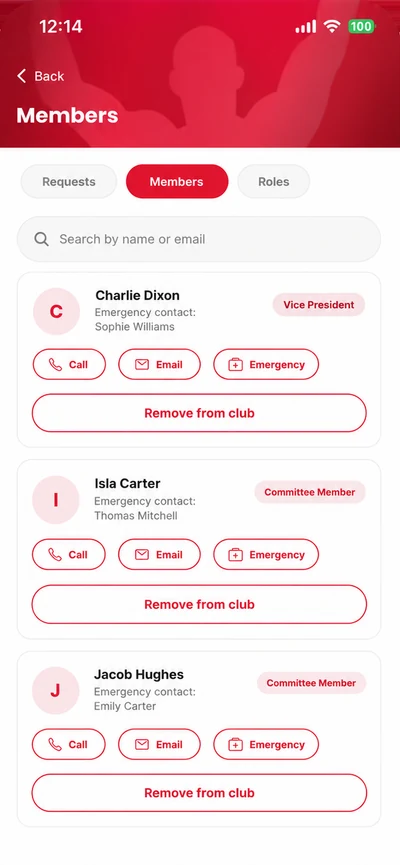
Every committee ends up maintaining a members list somewhere. This one is attached to the club rather than to whoever set up the spreadsheet.
- Join requests reviewed before anyone gets access
- Committee roles that control who can manage what
- Contact details and emergency contacts on the member record
- Call and email a member straight from their entry
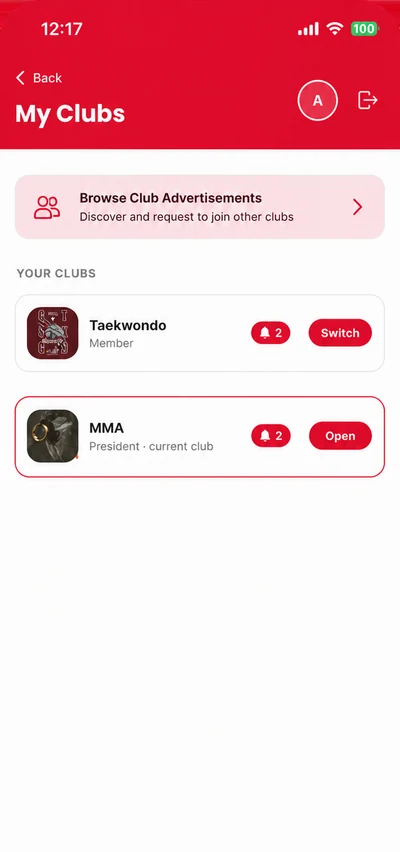
- Roles are per club, so someone can be President of one and a member of another
Keeping everyone in the loop
Updates beside the activity they relate to.
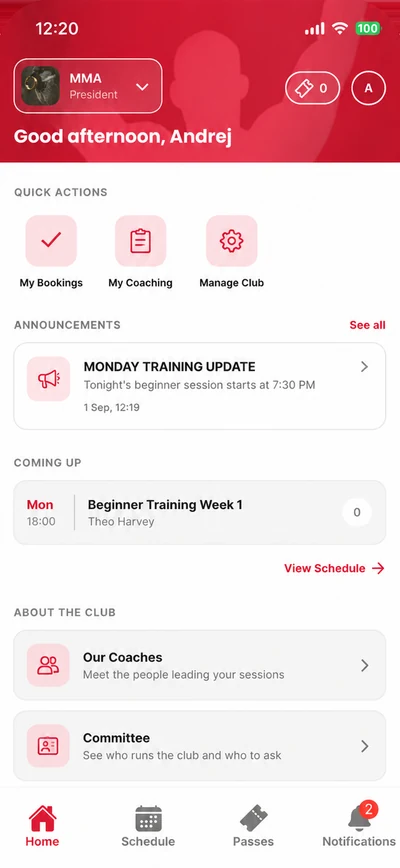
Announcements and upcoming sessions sit on the club home screen, keeping practical information close to the member experience.
- Announcements with notifications
- Upcoming sessions and who is coaching them
- Quick actions for bookings, coaching and club management
- Coaches and committee listed so members know who to ask
Getting new members
A club page that does the recruiting for you.
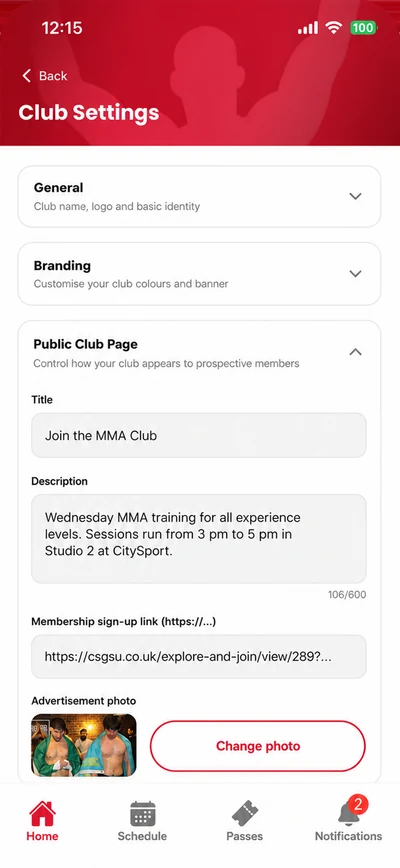
Clubs control how they appear to students who have not joined yet, from the branding down to the sign-up link.
- Club name, logo, colours and banner
- A public description prospective members read
- Your membership sign-up link, wherever it lives
- An advertisement photo for the discovery feed
- Optional passes for clubs that charge for particular sessions
The student side
Students see the clubs, not the admin.
A student opens EverySession to find a club, see what is on and keep track of the ones they have joined. Everything the committee is doing behind it stays out of the way.
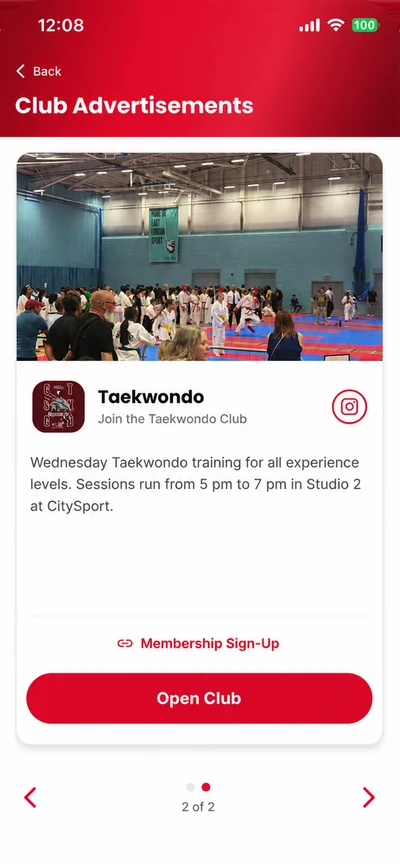
- DiscoverClub advertisements with a photo, what the club does and when it trains.
- JoinRequest to join, and follow the club’s own membership sign-up link where it has one.
- SwitchEvery club a student belongs to, in one app, with notifications per club.
Availability
Available now on iOS and Android.
EverySession is live on the App Store and Google Play. Committees that want to bring a club onto the platform can contact our team through the assisted onboarding route.
Read the help guidesClubs and committees
Want to see it properly?
Tell us your club, your university and how you run sessions today. We will explain the current product and the supported onboarding route.
Get your club started